To accurate record the outcome of a meeting for accurate reporting, follow the steps below:
1. In HubSpot, navigate to the contact record of the individual you met with by searching their email address in the search bar.
2. Select the "Activities" timeline in the upper middle of the page. [See Image A]
3. Search for the appropriate meeting in the timeline (if you don't see meetings, ensure that meetings are selected in the activity filter (highlighted in red in image A). [See Image A]
4. Under the "Actions" dropdown, select "Edit". [See Image A]
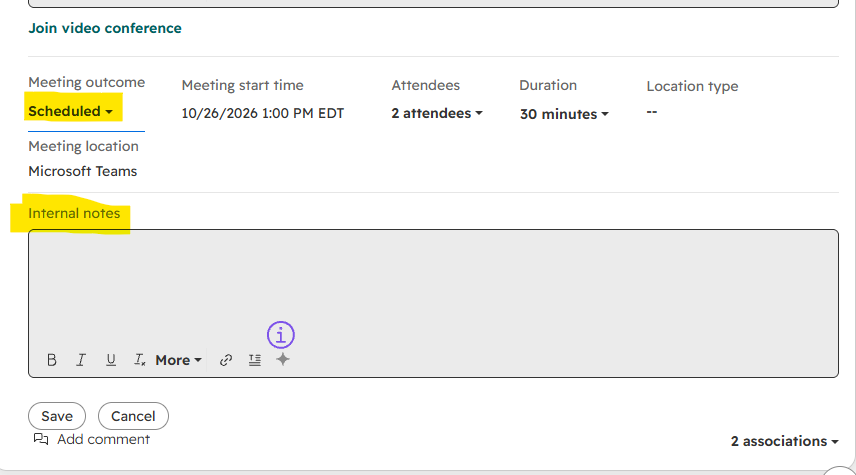
5. Scroll to the bottom of the meeting activity, then open the "Meeting Outcome" dropdown and select the appropriate outcome. [See Image B]
6. If you would like to leave any notes about this meeting, enter them in the "Internal notes" section. [See Image B]
Image A:
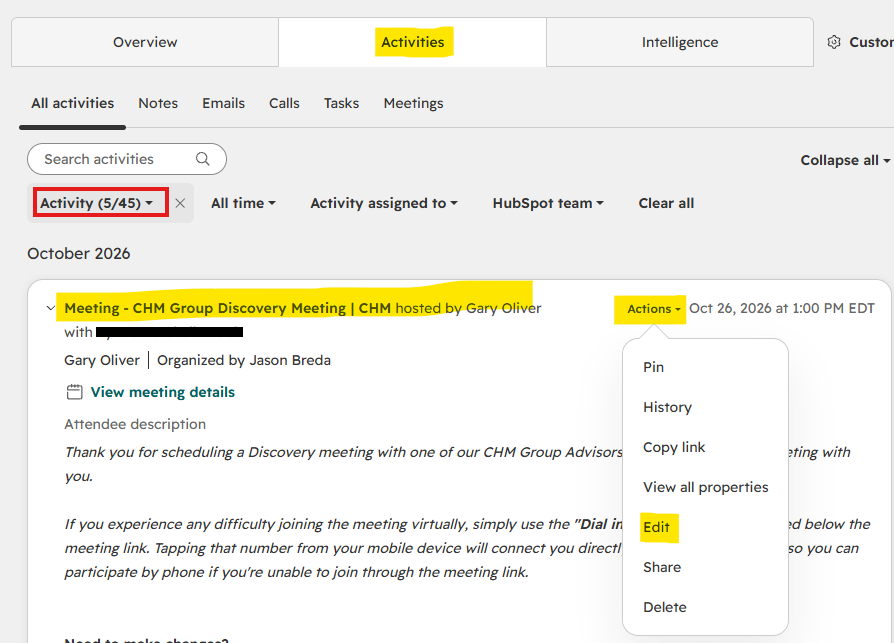
Image B: